Documentation
On this page
OTP codes
Many sites offer two-factor login with a code that changes every 30 seconds, the kind
an authenticator app shows. HardenedPass keeps that secret inside the entry, as an
otpauth:// line:
|
|
Think before you do this. Your password and your second factor end up in the same file, so whoever opens that entry has both. If you want two truly separate factors, keep the codes in another app.
Add a code
Open the entry in the editor, or start a new one. Under the fields:
- OTP from QR adds the code from the QR image the site shows you, with Scan QR code or Choose an image.
- Manual OTP takes the Account and the Secret by hand, for sites that also show the key as text.
Tap Save.
Read a code
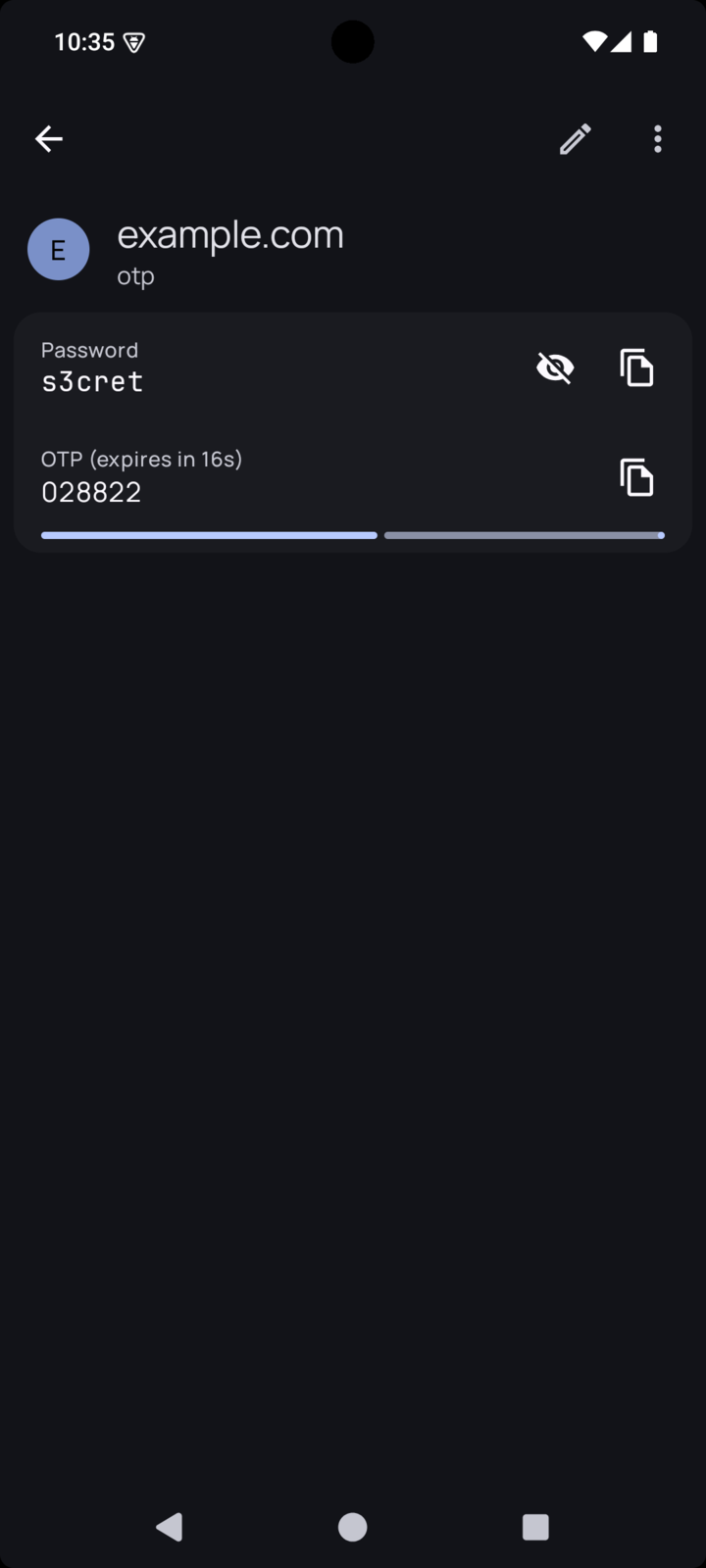
Open the entry. The code appears as a field with a countdown bar, and it refreshes by itself. The copy icon copies it.